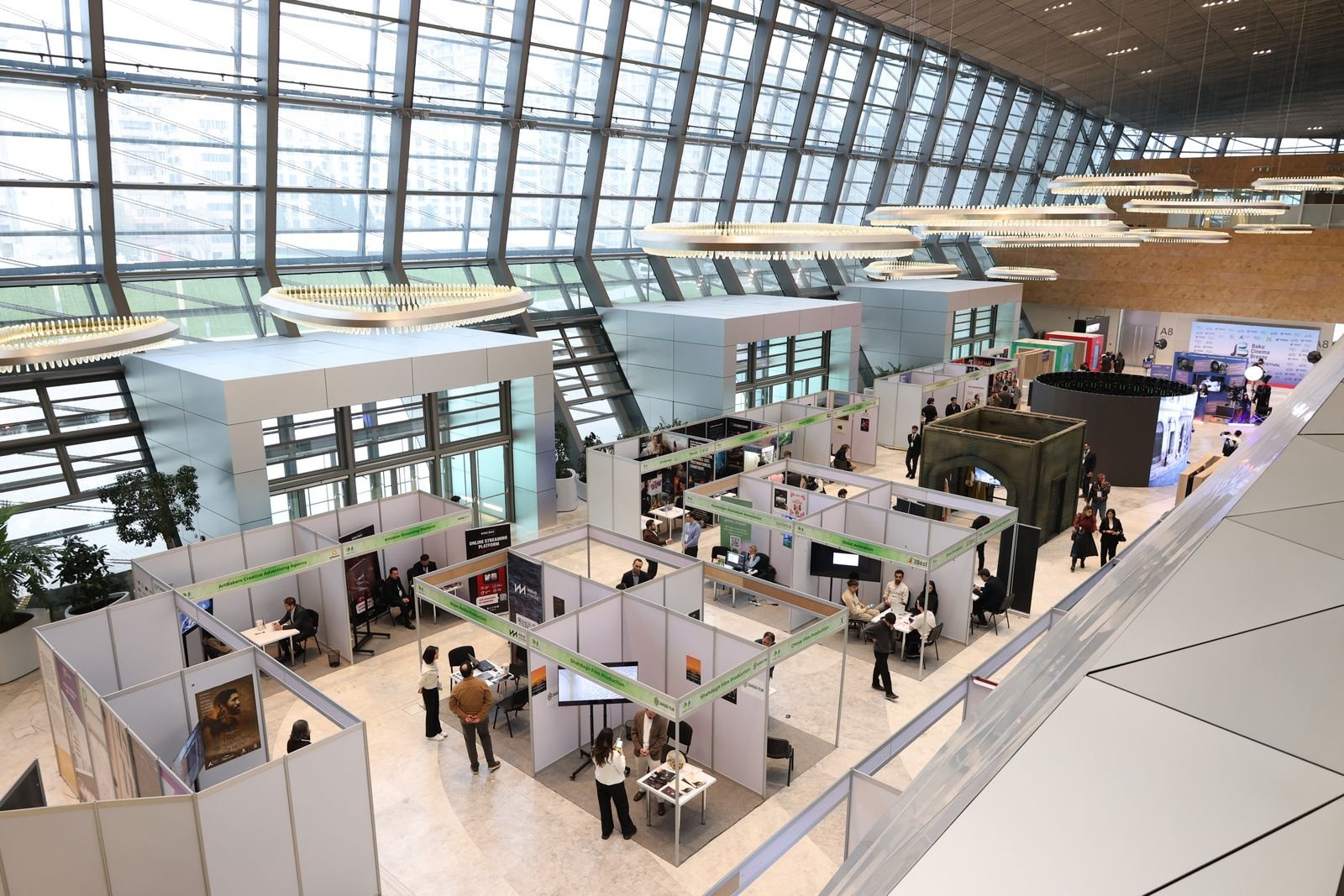
PHCC CONNECT 2026 starts tomorrow (Oct 19–22, Baird Center, Milwaukee), and the Product & Technology Showcase runs Oct 20–21. The show floor is the one place you can make three PHCC CONNECT 2026 software vendors answer the same hard question in the same hour. These seven questions cover missed calls, dispatch, driveway invoicing, payment fees, reviews, dead quotes, and the cost of leaving. Ask all seven of any vendor you are close to signing with. Our related reviews are linked under each question for deeper reading after the show. Not headed to PHCC CONNECT 2026? The same seven questions work in any software demo, trial, or sales call — the red flags don’t change with the venue.
Reader-supported: TradeProStack may earn a commission if you buy through links on this page. That never changes a recommendation. The only affiliate link in this article appears in the follow-up section (question 6). Event facts below were checked on the official PHCC and show sites on October 18, 2026.
Why the Oct 20–21 showcase window matters
PHCC CONNECT 2026 runs October 19–22, 2026 at the Baird Center in Milwaukee, Wisconsin, under the theme “Building Community. Advancing the Industry.” The Product & Technology Showcase, the part that matters for software decisions, is a two-day window: Tuesday, October 20 from 12:30 to 4:30 PM CT, and Wednesday, October 21 from 8:00 to 11:00 AM CT. Lunch is served on the floor Tuesday; breakfast is on the floor Wednesday. A $75 Contractor Show Pass covers both days and is sold online and onsite (there is also a Wisconsin-only $250 Full-Day Pass option).
That window is short on purpose. The education program runs 25+ expert-led sessions, panels, and roundtables on workforce, leadership, operations, compliance, and technology, with a keynote from Dr. Rick Goodman and a QSC Lunch & Learn with Nora Burns. The Brew City Bash opens the event and the Harley-Davidson Museum hosts the closing event. None of that helps you pick software. The four hours Tuesday afternoon and three hours Wednesday morning do, because that is when you can stand in front of the actual product people.
The exhibitor list is described on the show site as “105 and counting,” and the software and tech names on it include ServiceTitan, Service Fusion, Simpro, FieldPulse, Praxedo, FastEST and BIMTEQ for estimating, iWallet and Wisetack for payments and financing, Thumbtack for lead generation, Trainual for training, and Scorpion, RYNO Strategic Solutions, Local Optics, Blue Boost, Lead Science, and BlackHyve on the marketing side. Being on the exhibitor list is not an endorsement, and TradeProStack has no relationship with PHCC or any of these vendors. The framing below is simply: if they are on the PHCC CONNECT 2026 floor, ask them these questions.
A rule before you go: anything a rep quotes you on the PHCC CONNECT 2026 floor is a quote, not a published price. Write it down as a quote. Every figure cited below as a fact comes from the vendor’s own published pages, checked October 18, 2026, and is linked to the deeper review where it lives.

1. What happens when my techs are on a roof and nobody can answer?
Ask it exactly like that, because that is the real situation. Listen for live coverage: AI answering or after-hours overflow, how fast it responds, and whether it books straight into the schedule. A good answer names the booking path, not just the answering path.
The red flag is “we take a message” with no booking path. A message is a lead you call back tomorrow; a booking is a job on the schedule today.
Our verified coverage: our Rosie AI review covers AI call answering for trade businesses, 24/7, with published plans (Professional $49 for 250 minutes, Scale $149 for 1,000 minutes, Growth $299 for 2,000 minutes, 7-day trial, checked on heyrosie.com). If you would rather have a human, our Ruby Receptionists review covers the human-answering option. Sibling reading: how to handle missed calls when you are on a job, missed-call text-back templates, and after-hours emergency calls.
2. Can this dispatch the way we actually run the day?
Every vendor has a calendar. Ask whether the product dispatches the way a plumbing or HVAC shop actually runs the day: scheduling plus dispatch built for field crews, multi-crew day views, and real-time updates out to the techs. Ask to see a day with six techs and two emergency call-ins, not the empty demo calendar.
The red flag is a pretty calendar with no dispatch workflow underneath. Booking software and dispatch software are different jobs.
Our verified coverage: Jobber’s review covers its client hub, quoting, and batch and progress invoicing (plans Core and Connect, pricing reconfirmed October 15, 2026). Housecall Pro’s review covers online booking with scheduling and dispatch on every plan (current plan pricing is in the review, re-verified October 18, 2026). Compare the two side by side in Jobber vs Housecall Pro, and read the best dispatch software for HVAC for the trade-specific angle.
3. Can my techs bill from the driveway before they leave?
This is the question that separates field software from office software. Listen for: mobile invoice creation from the job, sending by text or email on the spot, and on-site card payments. Ask the rep to show you the invoice being built on a phone, not a laptop.
The red flag is invoicing that only works back at the office. If the invoice waits until someone is at a desk, the invoice waits days.
Vendor-published facts to have in your pocket: Jobber says its teams can “create and send invoices from the field” and “allow customers to pay in person by tapping a card or digital wallet on a mobile device.” Housecall Pro’s pitch is “get paid right from the jobsite”: send invoices by text or email from the mobile app the minute the job is completed, and take payments on site with card on file, Tap to Pay, or a card reader, plus bank transfer and financing options.
Our verified coverage: the best invoicing apps for plumbers is the shortlist hub, with QuickBooks pricing and FreshBooks pricing for the accounting side.
4. What does every transaction actually cost me?
Ask for the full fee picture in one question: per-transaction card rates, bank-transfer or ACH fees, any reader or hardware cost, and a written fee schedule. Then ask what happens to the rate when your volume grows.
The red flag is “competitive rates” with no numbers. A vendor that will not put the rates in writing on the show floor will not put them in writing later either.
Published rates to anchor the conversation (all from the vendors’ own pages): Jobber Payments runs 2.9% plus 30 cents for online card payments, 2.7% plus 30 cents for Tap to Pay, and 1% for bank payments. Housecall Pro advertises card processing “as low as 2.59%,” a 1% fee on bank payments, and free mobile check deposit from its app. Square publishes 2.65% per tap or insert in person, 2.9% plus 30 cents per online transaction, and 3.4% plus 15 cents for manually keyed-in transactions. Treat any rep quote that differs from these as a quote to verify, not a correction to the published page.
5. How do you get us reviews without us having to nag?
Reviews are a follow-up workflow, not a hope. Listen for: automated review requests that go out after completed jobs, review management across Google, Yelp, and Facebook, and a straight answer about whether customers get spammed.
The red flag is no review tooling at all, or a vague “we integrate with review platforms” that turns out to mean a Zapier template you build yourself.
Vendor-published facts: GoHighLevel lists reputation management and automated review requests on its official homepage. Housecall Pro includes review management in every plan. Ask the rep to show the request going out, and ask what the customer sees.
Our verified coverage: our GoHighLevel review covers the reputation and review-request side in detail.
6. What happens to a quote that goes cold?
This is the question most shops never ask, and it is the one that costs the most. Listen for: CRM pipelines you can actually see, automated follow-up sequences, and a consolidated conversation stream (SMS, email, chat) so nothing goes cold silently. Ask what happens to a quote nobody touches for nine days.
The red flag is the quote dying in a spreadsheet. If the answer is “you can export to Excel,” you do not have a follow-up system.
Reader-supported note: the links below are our affiliate links. They do not change what we recommend.
GoHighLevel is the follow-up system we have verified most deeply: CRM with sales pipelines, follow-up workflows and automations, missed-call text-back, calendars with appointment reminders, and a consolidated conversation stream across SMS, Messenger, Instagram DM, WhatsApp, and live chat, plus a mobile app.
Published pricing: Starter $97 per month (3 sub-accounts), Unlimited $297 per month, Pro $497 per month in SaaS Mode, with a 14-day trial, month-to-month billing, and usage-based telecom and AI costs on top (current plans). The honest limitation, stated plainly: GoHighLevel is a front-office and CRM system. It is not field-service dispatch, route optimization, or trade job costing. Read the full picture in our GoHighLevel review and the plan detail in GoHighLevel pricing, or see current plans.
7. How does it sync with my books, and what does it cost to leave?
The last question is about the exit, and you ask it before you enter. Listen for: which plans include the QuickBooks sync and how it behaves, the contract length, the cancellation terms, and how you get your customer data out.
The red flag is “easy in, hard out”: long contracts with no export. Ask for the cancellation process in writing.
Vendor-published facts: Jobber syncs with QuickBooks Online (one-way, automatic behavior per its Help Center). Housecall Pro puts the QuickBooks Online sync on Essentials and up, offers a 14-day free trial with full MAX access and no card required, and runs no long-term contracts. Ask each rep which plan the sync lives on, because that answer changes the real price.
Our verified coverage: Jobber vs Housecall Pro compares the sync and lock-in picture, and QuickBooks pricing covers the accounting side.
The one-page cheat sheet
Print this or save it to your phone before you fly:
1. Missed calls: who answers, how fast, does it book into the schedule? Red flag: “we take a message.”
2. Dispatch: show me six techs and two emergencies on one day view. Red flag: a pretty calendar, no dispatch.
3. Driveway billing: build the invoice on a phone, send it by text, take the card now. Red flag: invoicing only works at the office.
4. Transaction costs: card rates, ACH fees, reader cost, in writing. Red flag: “competitive rates.”
5. Reviews: automated requests after the job, Google/Yelp/Facebook, no spam. Red flag: no review tooling.
6. Cold quotes: pipelines, automated follow-up, one conversation stream. Red flag: “you can export to Excel.”
7. Exit: which plans sync with QuickBooks, contract length, cancellation terms, data export. Red flag: easy in, hard out.
And the meta-rule for all seven: a floor quote is a quote. Write down the number, the rep’s name, and the date, and check it against the vendor’s published page when you are home.
Which PHCC CONNECT 2026 software questions matter most for your shop
If you run one to three trucks, questions 1, 3, and 6 decide the most revenue: the calls you miss, the invoices you delay, and the quotes you forget. If you run five trucks or more, questions 2 and 7 move to the front: dispatch is your daily constraint and the cost of switching systems is your biggest risk. Question 4 matters at every size, because payment fees are the quietest line on the P&L.
Do not sign on the PHCC CONNECT 2026 floor. Take the answers home, read the reviews linked above, run the trial the rep offered, and decide with the cheat sheet in front of you. The showcase ends Wednesday at 11:00 AM CT. Your software decision does not have to.
After the show, these same seven questions still apply. Any demo, trial, or sales call months from now is the same test: listen for the red flags, write down the quotes, and let the trial prove the answers before you sign.