A plumber finishes a water heater replacement, the customer is happy, and they say thanks at the door. A week later there is still no Google review. The job was good. The ask never happened.
Most plumbers do not lose reviews because customers are unhappy. They lose them because asking feels awkward and there is no ready wording to send. The free review request script generator for plumbers takes that writing job off the list: enter the business name, the trade, the tone, and the platform, and it produces review request scripts for plumbers, ready to copy as an SMS script and an email script. This guide shows what those scripts look like for one plumbing job, when to send them, and the mistakes that waste a good ask.
How do the review request scripts for plumbers work?
The generator takes four inputs and turns them into two scripts. For a plumber, those inputs map directly to the job just finished.
1. Platform. Choose Google, Yelp, or Facebook. Google is the usual choice for a plumbing business, since the Google Business Profile is where most local customers look first. Pick the platform where the review matters most.
2. Business name. Type the business name as it should appear in the message, spelled exactly as customers know it.
3. Trade. Choose Plumbing from the dropdown, and the wording says “plumbing work”. The other choices are HVAC, Electrical, Cleaning, Landscaping, Lawn care, and Other home service.
4. Tone. Choose Friendly, Professional, or Casual. Friendly is the default and suits a thank-you message after a completed job.
The generator updates live as the fields change, with no separate generate button. Each output has a Copy button, so the scripts can go straight into a text message or an email.
The scripts are starting templates, not finished messages. The tool’s own guidance says to personalise first, adding the customer’s name and the job that was done, and to replace the placeholder link with the real review link before sending. Templates convert far better with one personal line. The generator has no field for the customer name or the job, so that line is added by hand, as the worked example below shows.
What do the review request scripts for plumbers look like for one job?
Here is the generator run on an illustrative example: a fictional plumbing business called Harbourview Plumbing, asking for a Google review in a friendly tone. All names in this example are illustrative, not a real business or customer.
Step 1: Enter the four inputs
Business name: Harbourview Plumbing. Trade: Plumbing. Tone: Friendly. Platform: Google.
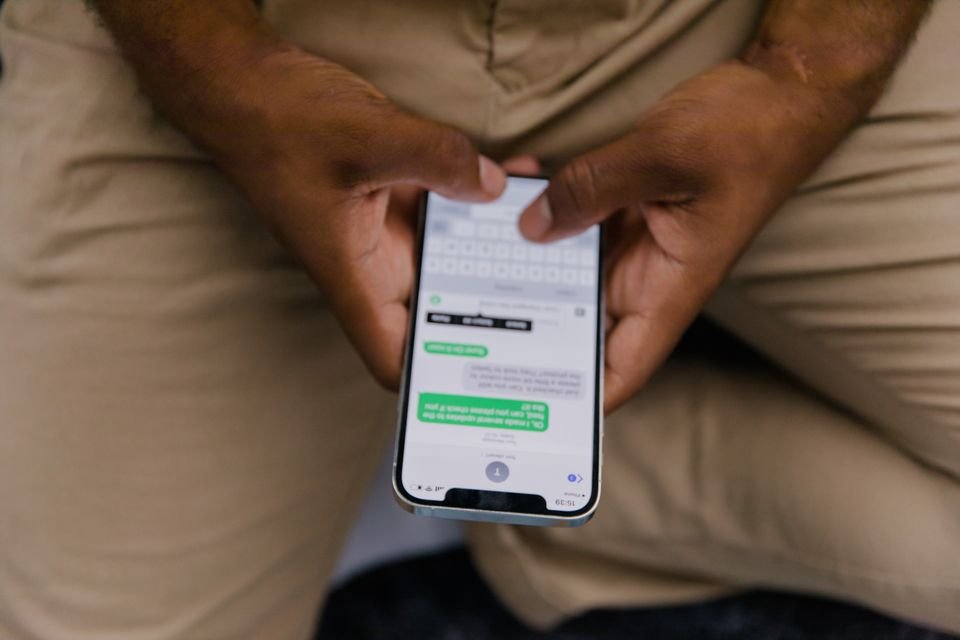
Step 2: Copy the SMS script
The generator produces this SMS script, quoted exactly:
Hi, this is Harbourview Plumbing! Thanks for choosing us for your plumbing work. If you were happy with the service, a quick Google review would mean a lot to us: [your review link]
That is the whole message. It names the business, thanks the customer, names the platform, and leaves a place for the link. Nothing in it asks for anything in return: offering a discount or a gift for a review is against Google policy.
Step 3: Copy the email script
The generator produces this email script, quoted exactly, including its subject line:
Subject: Thanks for choosing Harbourview Plumbing — quick favour?
Hi there,
Thanks so much for choosing Harbourview Plumbing — we really appreciate it.
If you were happy with the service, would you mind leaving us a quick Google review? It takes about a minute and it genuinely helps a small business like ours:
[your review link]
Thanks again,
Harbourview Plumbing
The email version of the review request scripts for plumbers is longer because email allows it. The ask is the same, and the link placeholder is the same. Use the SMS version when the customer already texts with the business, and the email version when email is the usual channel. SMS usually gets read faster and brings in more reviews for trades, but a message on the wrong channel can sit unread.
Step 4: Add one personal line before sending
Before either of the review request scripts for plumbers goes out, add the customer’s name and the job. The generator cannot do this part, since it has no field for either. An illustrative personal line for this example would read: “Hi Alex, thanks for having us in today to replace the tankless water heater.”
That one line turns a template into a message from the plumber who was just in the house. Without it, the customer gets a message that could have come from any business.
Step 5: Replace the link placeholder with the real review link
Neither of the review request scripts for plumbers is ready to send until [your review link] is replaced with the actual link. For a Google review, that is the Google Business Profile short link. For Yelp it is the business page, and for Facebook it is the page’s reviews tab. Paste the real link in, then tap it once to check it opens the right review page.
Step 6: Send within 24 hours
Send the same day or the next day, while the job is still fresh in the customer’s mind. For a longer project, ask at the final walkthrough. Waiting a week means asking someone who has moved on.
What does asking every customer change for a plumber?
The number a plumber controls is the number of asks, not the number of reviews. A review can only follow an ask, so the ask count sets the ceiling. With the review request scripts for plumbers ready to copy, each ask takes under a minute: copy the script, add the personal line, paste the link, send.
Take an illustrative week of 20 completed jobs. A plumber who asks after every job sends 20 asks that week, or 80 asks in a four-week month. A plumber who asks only when they remember might ask after 5 of those 20 jobs: 5 asks a week, 20 asks a month. The difference is 60 asks a month, from the same jobs.
This guide cannot say how many of those asks turn into reviews. That depends on the customer, the job, and the day. What the count shows is the size of the gap: 60 asks a month never sent is 60 chances never given. The tool’s guidance is to ask everyone, because a steady stream of genuine asks beats occasional big pushes.
What mistakes can waste a good review ask?
Small differences in how the review request scripts for plumbers are used can decide whether the ask works. Here are four mistakes worth checking first.
Mistake 1: Sending the script word for word, with no personal line
Suppose the plumber copies the SMS script exactly as generated and sends it with no name and no mention of the job. The customer gets a message that could have come from any business, and nothing in it connects to the visit that morning. The tool’s guidance says templates convert far better with one personal line. Add the customer’s name and the job before sending, every time.
Mistake 2: Leaving the link placeholder in the message
Suppose the plumber sends the SMS script with [your review link] still in it. The customer taps text that goes nowhere. The ask fails on the spot, and there is no second chance to make that first ask clean. Replace the placeholder with the Google Business Profile short link first, and tap it once to check it opens the right page.
Mistake 3: Waiting a week to ask
Suppose the plumber means to ask, puts it off, and sends the message a week after the job. The customer has moved on and the visit is no longer fresh. The tool’s guidance is to send within 24 hours. For a longer project, the moment is the final walkthrough. A late ask is not the same ask.
Mistake 4: Offering something in return for a review
Suppose the plumber adds a line offering a discount on the next visit for anyone who leaves a review. Google, Yelp, and Facebook all prohibit incentivised reviews. They can remove the reviews, penalise the listing, or both. The tool’s guidance is to ask every happy customer instead, and never to offer anything in return.
Frequently asked questions
SMS or email: which works better for asking a plumbing customer?
SMS usually gets read faster and brings in more reviews for trades, but use whichever channel the customer already uses. If the job was booked and confirmed by text, send the SMS script. If the customer deals by email, send the email script. One follow-up a day or two later is fine. Do not keep sending reminders.
Can a plumber offer a discount in exchange for a review?
No. Google, Yelp, and Facebook all prohibit incentivised reviews. They can remove the reviews, penalise the listing, or both. Ask every happy customer instead, and never offer anything in return for a review.
When should a plumber send the request?
Send the same day or the next day, while the job is still fresh. For longer projects, ask at the final walkthrough, when the customer is happiest with the finished work.
What do I put where the script says [your review link]?
For a Google review, use the Google Business Profile short link. For Yelp, use the business page. For Facebook, use the page’s reviews tab. Paste the real link in before sending, and tap it once to check it opens the right review page.
What if a customer leaves a bad review?
Respond quickly and politely, acknowledge the issue, and offer to discuss it by phone. Future customers often pay more attention to how a business responds than to the negative review itself.
How can a plumber start asking after the next job?
For the next finished job, enter the four inputs in the review request script generator for plumbers, copy the SMS and email scripts, add the customer’s name and the job, paste in the real review link, and send within 24 hours. One follow-up a day or two later is enough.
The scripts are only half of a review routine. The other half is asking every customer, every time, which turns single asks into a steady stream. The guide Asking every happy customer, once, at the right moment covers that wider system. The free tools hub lists the rest of the calculators and generators on the site.
These review request scripts for plumbers are starting templates, not legal advice. Review platform policies change, so check the current rules on Google, Yelp, and Facebook before sending.
Try this generator: Run your own business name through the free review request scripts for plumbers and copy the SMS and email scripts before the next job is even finished.
Photos: plumber inspecting a bathroom by Kathleen Austin Kuhn on Pexels; person texting on a phone by RDNE Stock project on Pexels.