An hvac dispatch app can look good on the office computer and still frustrate technicians once they are in a basement with no cell signal. A schedule that loads quickly at dispatch is less useful if the tech cannot open job notes, record work, or collect a signature at the customer’s house.
This guide compares five dispatch apps on the one question that matters in the truck: what can the technician actually do when the connection drops? Jobber, Housecall Pro, Workiz, ServiceTitan, and FieldEdge are judged only on field usability, using each vendor’s own mobile documentation checked November 11, 2026. Prices are in USD unless stated otherwise.
TradeProStack is reader-supported. If you buy through our links, we may earn a commission. That does not change our verdicts, product rankings, or review scores. Workiz, ServiceTitan, and FieldEdge do not publish prices, so no dollar figure appears for those three. Check the vendor page before you buy.
Quick take: the field-usability shortlist
Three apps stand out for different field situations, based on their published mobile documentation. ServiceTitan has the deepest documented offline workflow. Jobber covers the daily basics with a useful offline toolkit. Housecall Pro keeps upcoming job information available when signal disappears. Workiz and FieldEdge both document offline features, but with limits that matter on a real service call.
| App | Field usability | Best fit |
|---|---|---|
| ServiceTitan | Strong | Crews that need to document work and handle more of the job without a connection |
| Jobber | Good | Small crews that mainly need their schedule, notes, and job forms available offline |
| Housecall Pro | Good | Teams that prioritize knowing what job comes next when signal disappears |
| Workiz | Limited | Shops that want mobile communication and GPS features and can verify offline behaviour on their own devices |
| FieldEdge | Limited | Crews that can reconnect before final paperwork and payment |
These are conditional recommendations. A shop where technicians rarely lose signal may prioritize a different set of features from one where every second service call takes place underground. No single app wins for every HVAC company, so the verdict below is by crew size and by how often crews work in dead zones.
What should an hvac dispatch app actually do in the field?
Start with what happens when a technician reaches a property and the signal drops. There are three useful levels of offline capability, and they are not the same feature.
View means the tech can read previously downloaded job details, notes, and schedules. Edit means the tech can record new information, such as a status update, a job note, or a photo, and sync it later. Finish means the tech can complete the field workflow, potentially including an estimate, a signature, and a payment, without reconnecting first.
An app that supports offline viewing may be enough for a technician who only needs the customer’s address and work instructions. It becomes limiting when that technician must finish paperwork before leaving. The comparison table later in this guide scores each app on the same seven actions, so the difference between reading a job and doing the job is visible at a glance.
Photo and signature capture deserve particular attention. ServiceTitan explicitly documents both offline. For apps where that capability is not established in the vendor’s own documentation, treat it as an open question for the vendor, not as a working feature.
GPS features also need separating from offline functionality. Jobber offers geofence-based time-tracking reminders, while Workiz documents real-time GPS tracking for ETAs. Neither claim establishes that every related action works without cell service.
Battery use and mobile-data consumption are another consideration, and this guide cannot rank the apps on either one. None of the five vendors publishes comparative figures for battery or data use, so there is no reliable basis for scoring them. The same applies to glove-friendly controls or one-handed operation: no vendor in this comparison makes a documented claim about those capabilities. Both belong on the trial checklist at the end of this guide, not in the ratings.
How this comparison was put together
Each app was rated on field usability only, using vendor documentation checked November 11, 2026. The ratings are qualitative, Strong, Good, or Limited, with the reason stated each time. They are editorial evaluations from vendor docs, not the results of hands-on testing. A Limited rating can mean the information is missing from the vendor’s pages rather than a confirmed weakness in the software.
Where documentation does not establish whether a feature works offline, this guide marks it as not stated rather than assuming it works. That matters most in the basement-test table, where several cells are deliberately left as not stated. Vendor documentation is linked where it adds detail, and the full claim-and-source record sits in the research record behind this article.

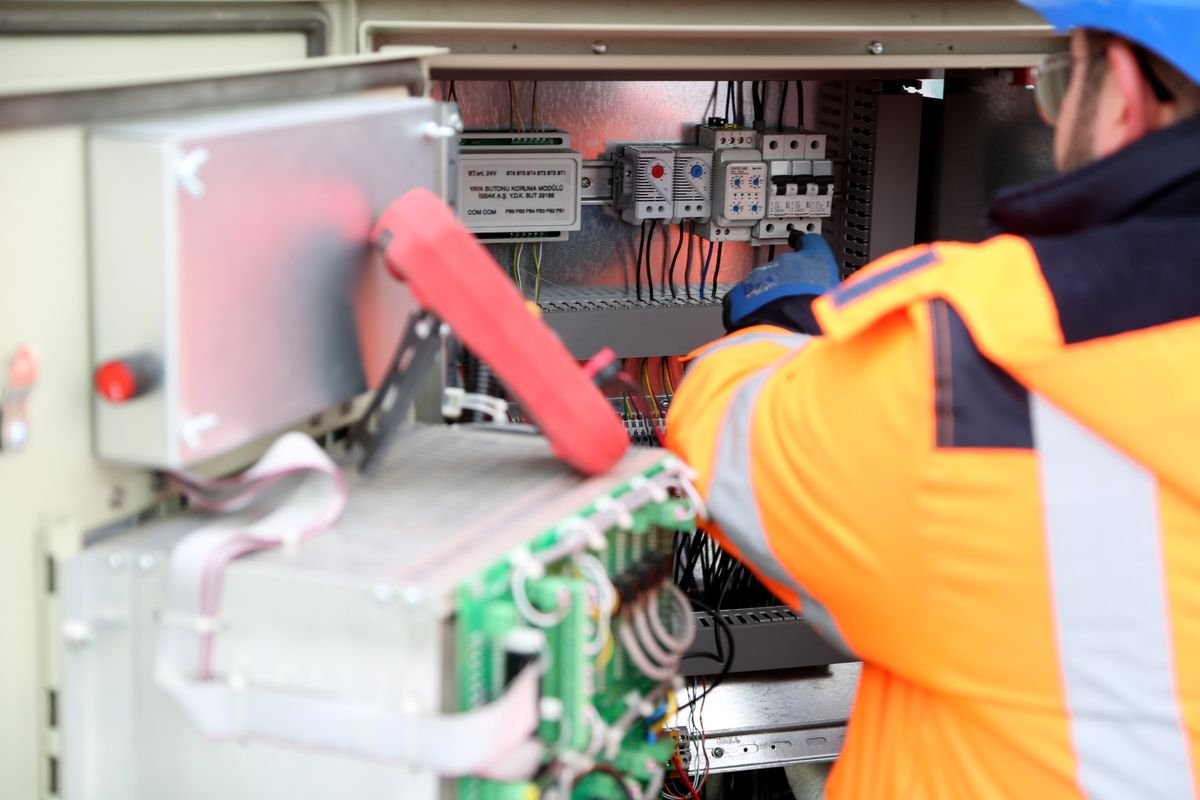
Photo by Mikael Blomkvist on Pexels
How does Jobber work when an HVAC technician loses signal?
Field usability: Good. Best for: HVAC, plumbing, electrical. Small service crews that need job information and forms available when coverage drops.
Jobber’s March 18, 2026 product update describes offline support for filling out and saving job forms, reviewing visit details and notes, and tracking time. Data is saved locally and automatically synced when a connection returns.
Its Help Center adds an important condition. The day’s schedule must be prefetched while the technician has a good connection, and that information remains stored until the user logs out or fully closes the app. When connectivity is poor, the cached schedule becomes read-only, so technicians should not assume they can change every job detail just because they can still see their appointments.
There is also a documented conflict involving time tracking. The March update says time can be tracked offline, but the Help Center says visit timers cannot be started or stopped without internet access. That conflict remains unresolved, and HVAC companies relying on visit timers should verify the exact behaviour before selecting Jobber.
For connected field work, Jobber provides day, list, three-day, week, and map calendar views. Its location timers use geofences to remind technicians to track time when arriving at or departing from a job, and Jobber Cam captures photos from visit pages. Two-way text messaging runs in the app. Our full Jobber review covers pricing and office features in detail.
The available evidence does not confirm whether Jobber Cam photos, customer signatures, estimates, payments, or final job completion work offline. That gap is the reason for the Good rating rather than Strong: the documented offline toolkit is real, but the closeout workflow is not established.
Mobile rating: 4.4 on Google Play, from 6,969 ratings as of November 11, 2026.
Pricing: Core starts at $29 per month billed annually for one user. A 14-day trial is available without a credit card. The Receptionist add-on starts at $29 per month, with no conversation allowance stated on the vendor’s page.
Field verdict: a reasonable choice when a technician mainly needs access to scheduled work and the ability to record forms. Companies with unreliable reception should specifically test time tracking and the full job-closeout process before committing.
Does Housecall Pro keep working in basements?
Field usability: Good. Best for: HVAC, plumbing, electrical, cleaning. HVAC crews that need upcoming job information available when reception disappears.
Housecall Pro’s Offline Mode on Mobile documentation, updated September 21, 2026, describes a system that downloads upcoming jobs in the background. The idea is to prepare job information before the technician loses service. When the connection drops, the app displays a “You are offline” banner, and features requiring an active connection are greyed out or unavailable.
For multi-visit jobs, the app prepares job segments within a three-day window. This may be useful for service work requiring return visits, provided the relevant information has downloaded before the connection is lost. A manual sync is available in Settings, under Preferences, then Offline mode, so a tech can refresh the download before heading somewhere with poor coverage.
Housecall Pro lists offline viewing on every plan. Its documentation does not establish that technicians can create estimates, process payments, collect signatures, or complete jobs offline. That is the limit of the Good rating: the viewing safety net is documented, but the editing and closeout workflow is not.
When connected, the mobile app provides real-time schedule visibility, dispatch notifications, and clock-in and clock-out tracking. It also supports on-site payments through cards, checks, bank transfers, and mobile check deposit. Those connected payment features should not be mistaken for confirmed offline payment functionality.
Housecall Pro’s 2-minute mobile app overview. Source: Housecall Pro Help Center.
Mobile ratings: Housecall Pro reports 4.7 on the Apple App Store and 4.5 on Google Play, with more than 35,000 combined ratings. The November 11 Google Play reading was 4.5 from approximately 6,900 ratings. Our full Housecall Pro review covers the plans and the CSR AI booking feature.
Pricing: Basic is $59 per month billed annually or $79 month-to-month for one user. Essentials is $149 per month billed annually for five users, while MAX is $299 per month billed annually for eight users, with additional users at $35 per month. A 14-day trial requires no credit card. CSR AI pricing is not published.
Field verdict: a practical option when the main problem is accessing upcoming job information. A company that expects technicians to finish every step underground needs to verify what happens when they try to close a job without signal.
Can Workiz technicians update jobs without internet?
Field usability: Limited. Best for: HVAC, appliance repair, on-demand field work. Shops interested in mobile communication and GPS features that can validate performance on their technicians’ devices.
Workiz states in its mobile app FAQ that technicians can access job details and update information with limited or no connectivity. Changes are supposed to sync automatically once a connection returns.
That is a useful claim, but it comes with a qualification. Third-party comparisons dispute whether Workiz offers a dependable offline mode, and some user reviews describe freezes or synchronization problems. The available evidence does not resolve that dispute. It also does not specify which individual actions, including photo capture, signatures, estimates, payments, or job completion, remain available offline.
Workiz supports real-time GPS tracking for ETAs, VoIP calling, in-app messaging, and real-time job updates. The mobile app is available for iOS and Android, with English and Spanish support. Our full Workiz review covers the Genius answering add-ons and the quote-only pricing.
Its app-store results differ substantially between platforms. Mobile ratings: Google Play shows 2.8 from approximately 390 ratings, while the Apple App Store shows 4.6 from 2,203 ratings. That difference is worth investigating if most of your technicians use Android phones. Ratings alone do not prove a particular failure, but the gap is a reason to test on the actual devices your crew carries.
Pricing: Workiz uses quote-based pricing without published dollar amounts. A seven-day trial is available without a credit card. Genius add-ons are sold separately, with no published price.
Field verdict: Workiz has useful connected dispatch and communication features, alongside a vendor claim of offline updating. The unresolved offline dispute and the Android rating make device-specific trial testing particularly important.
How much of a ServiceTitan job can be finished offline?
Field usability: Strong. Best for: HVAC, plumbing, electrical, larger shops. HVAC crews that need to record substantial work without a live connection.
ServiceTitan’s Field Mobile App documentation provides the most detailed list of supported offline actions among the five products compared here. Technicians can update job status, track time, record notes, capture photos and signatures, and perform most estimate, form, and checklist tasks while offline. Changes automatically sync once connectivity returns. ServiceTitan’s Field Mobile App offline documentation lists each action that works offline.
Standard price book pricing remains available offline, although dynamic pricing needs an active connection. Equipment history is available only when cached, which means the technician should open the job while connected first.
Payments have additional restrictions. ServiceTitan documents offline capture for keyed-in cards, checks, ACH, mobile check capture, and cash, with captured payments held securely and processed when the connection returns. Card swipe and Tap to Pay require an active connection, so processing cannot be assumed complete at the moment an offline payment is captured.
Some tasks are unavailable offline altogether. These include purchase orders, inventory availability, customer financing, and contracts. Invoice editing is only partially supported. ServiceTitan’s marketing material makes a broader claim that all features work offline, but its detailed support documentation establishes specific exceptions, so that documentation governs this comparison.
The documentation does not conclusively establish whether every requirement for final job completion can be performed offline. That is why the basement-test table below leaves the closeout cell as not stated even for ServiceTitan, and why the trial checklist at the end of this guide matters.
Mobile ratings: the newer ServiceTitan Field app was approximately 3.3 to 3.5 on Google Play, with roughly 600 to 700 ratings. The older ServiceTitan Mobile app was approximately 2.4 to 2.5, from about 1,040 ratings. These are separate apps, so the ratings should not be combined into a single score. Our full ServiceTitan review covers the enterprise dispatch features and the quote-only pricing.
Pricing: quote-based, without a published dollar price or publicly stated trial.
Field verdict: the strongest documented offline task coverage in this comparison. Companies should still confirm which closeout requirements depend on connectivity, particularly when inventory, financing, or contracts are involved. Greater offline functionality does not automatically make it the right purchase for every small shop, and the store ratings say the app itself is the weakest-liked of the five on Android.
What happens when FieldEdge loses its connection?
Field usability: Limited. Best for: HVAC, plumbing, electrical, flat-rate shops. Crews that need to continue work-order activity offline but can reconnect before final paperwork and payment.
FieldEdge’s Adaptive Offline Mode switches automatically when connectivity disappears. Its support documentation says technicians can continue most work-order tasks and synchronize changes after reconnecting. No manual switch is needed, and there is no need to download the whole day in advance.
The restrictions are substantial for a technician trying to finish a service call. Without an active connection, FieldEdge technicians cannot create or edit an invoice, create or edit a quote, complete a work order, take a payment, reassign a work order, or add a part request or expense.
A status change to “Working” can be made offline, but it is visible only on the technician’s device until the connection returns, so the office will not see it in real time. The available documentation does not specifically confirm offline photo or signature capture.
For an HVAC technician inspecting equipment in a basement, the app may support work-order activity while signal is unavailable. The technician still needs to reconnect for several important closing actions. Our full FieldEdge review covers the flat-rate price book and the QuickBooks Desktop sync.
Mobile rating: 1.8 on Google Play from 280 ratings, the lowest of the five apps in this comparison by a wide margin.
Pricing: no public dollar pricing. FieldEdge offers Select, Premier, and Elite tiers, with two, four, and six mobile app licences respectively.
Field verdict: its adaptive offline behaviour is documented, but the limitations on quotes, invoices, payments, and job completion make it a weaker match for crews that need to finish work before leaving a dead zone.
Which app passes the basement test?
Imagine an HVAC technician arriving for a furnace service call. The customer takes them downstairs, the phone loses reception, and the technician needs to work through the job. The table below compares the actions the technician may need before returning to an area with service.
| Offline action | Jobber | Housecall Pro | Workiz | ServiceTitan | FieldEdge |
|---|---|---|---|---|---|
| View today’s jobs | Partial | Partial | Partial | Not stated | Partial |
| Update job status | Not stated | Not stated | Not stated | Yes | Partial |
| Capture photos | Not stated | Not stated | Not stated | Yes | Not stated |
| Collect a signature | Not stated | Not stated | Not stated | Yes | Not stated |
| Build an estimate | Not stated | Not stated | Not stated | Partial | No |
| Take a payment | Not stated | Not stated | Not stated | Partial | No |
| Complete the job | Not stated | Not stated | Not stated | Not stated | No |
How to read the table: Yes means the action is explicitly documented as supported offline. Partial means a documented condition, limitation, or incomplete workflow applies. No means the vendor explicitly documents the action as unavailable. Not stated means the supplied evidence does not establish an answer.
For viewing jobs, Jobber depends on prefetched schedules, Housecall Pro depends on prepared upcoming jobs, and Workiz documents access with limited or no connectivity without detailing the caching requirements. FieldEdge documents continued work-order activity but not every aspect of schedule access. ServiceTitan supports offline status changes, but its documentation does not establish every possible final closeout requirement. Similarly, offline payment capture is conditional, and actual processing may occur only after reconnection.
The biggest distinction is between reading a job and doing meaningful work on it. ServiceTitan documents substantially more individual offline actions, while the other apps leave important questions open or expressly restrict parts of the workflow.
Which hvac dispatch app makes sense for a 1 to 3 truck shop?
For a small HVAC company with one to three trucks, start by establishing how frequently technicians lose reception and what they must accomplish before leaving the property.
If dead zones are occasional and technicians mainly need their schedule, notes, and forms, Jobber is a sensible starting point. Its documented offline form and visit-information support may cover those needs, subject to the time-tracking conflict. Housecall Pro is another option when the priority is keeping upcoming job information accessible. Its offline viewing model is documented, but companies should verify any required editing and closeout actions.
If technicians regularly need to collect signatures, build estimates, and record payments in areas with no signal, ServiceTitan deserves attention because those workflows are more extensively documented. Its quote-based pricing would still need to be assessed separately, and its store ratings are the lowest of the five on Android, so the trial matters more, not less.
Workiz remains an alternative for shops attracted to its mobile communication and GPS features, provided the offline behaviour is proven during the trial. FieldEdge fits only when the shop can accept reconnecting to finish invoices, quotes, and payments.
What about a 4 to 10 truck HVAC company?
With four to ten trucks, problems at individual jobs can affect more technicians and dispatch decisions throughout the day. The office needs to know what happened in the field, including when updates were delayed because a device lost its connection.
For crews regularly working rural routes, basements, or new builds, ServiceTitan has the strongest documented offline feature coverage. It allows technicians to record more of the job before reconnecting, although certain administrative and financial actions still require internet access.
Jobber and Housecall Pro may be adequate when crews can regain reception before completing their paperwork. Their offline limitations should be tested against the company’s actual job workflow. FieldEdge can continue work-order activity during interruptions, but the documented restrictions on completing orders and handling quotes or payments deserve close attention. Workiz requires additional verification because its offline claim is disputed.
Crew size alone is not a reason to choose one product. The relevant question is how many technicians are routinely blocked from finishing essential work by poor connectivity. If the answer is one tech on one route, the cheapest adequate app may be the right call. If the answer is half the crew every day, the offline table above should drive the decision.
How is this different from choosing dispatch software for the office?
This comparison looks at what technicians can accomplish on their phones during a service call. It does not rank the broader dispatch systems on pricing transparency, route optimization, dispatch-board capabilities, or AI features. Those questions are covered separately in our Best Dispatch Software for HVAC, which scores the same five tools as an owner’s selection decision.
For additional context, see our scheduling-versus-dispatch explainer and the P3 pillar, Scheduling That Survives Rain Days. The general roundup, Best Field Service Management Software for Small Trade Businesses, covers the same five tools at the whole-business level. Our How We Review page explains the method behind every score.
What should HVAC companies ask before choosing an app?
Can a technician completely finish a job without cell service?
It depends on the app and the required actions. ServiceTitan documents the broadest offline workflow here, including photos, signatures, and certain offline payment capture methods, but some actions still require a connection. FieldEdge explicitly prevents offline work-order completion. The available evidence does not establish a complete offline closeout workflow for Jobber, Housecall Pro, or Workiz.
Which dispatch app is best for technicians working in basements?
ServiceTitan is the strongest documented option when technicians need to update job records, capture photos or signatures, and prepare estimates underground. Jobber and Housecall Pro may be sufficient when viewing job information is the primary concern. The decision depends on which actions the technician must finish before regaining signal.
Will offline changes automatically sync when the technician reconnects?
Jobber’s March 2026 update, Workiz’s FAQ, ServiceTitan’s field documentation, and FieldEdge’s support documentation all describe automatic synchronization after reconnection. Housecall Pro’s evidence primarily establishes prepared offline viewing, and does not confirm a comparable offline editing and synchronization workflow. Automatic synchronization claims should still be tested with actual jobs, since the evidence does not establish comparative sync reliability or recovery behaviour after an interrupted upload.
What should an HVAC company test during a free trial?
Use a realistic service-call workflow rather than simply opening the app and browsing the schedule. Load a job while connected, turn on airplane mode, and attempt to view the work order, record notes, capture photos, collect a signature, build an estimate, and finish the job. Reconnect and check whether the updates appear correctly in the office system.
Repeat the exercise after fully closing and reopening the app, particularly when evaluating Jobber’s documented schedule-caching limitations. Also test the devices your crew actually uses, especially when comparing Workiz on Android and iOS. Watch battery drain and data use across a full day, since no vendor publishes figures for either. Jobber and Housecall Pro offer 14-day trials without a credit card, while Workiz offers seven days. The evidence does not establish equivalent public trial arrangements for ServiceTitan or FieldEdge.
Our verdict
If technicians mainly need to read their schedule and job notes in low-signal areas, start with Jobber or Housecall Pro. Their documented offline features address information access, although the exact limits differ, and Jobber’s published pricing makes the cost knowable before a sales call.
If crews regularly need to record substantial work without reception, ServiceTitan has the strongest published offline feature coverage among these five apps. That advantage should be weighed against its remaining restrictions, its quote-based purchasing process, and its store ratings, which are the lowest of the five on Android.
Workiz is worth testing when mobile communications and GPS features matter, but its offline reliability needs verification on the devices your crew carries. FieldEdge supports continued work-order activity while limiting several important job-closing actions, so it fits only when the shop can reconnect before finishing the paperwork.
Before committing, make sure the app can handle the actual workflow your technicians follow in a basement. The most useful dispatch app is the one that lets them complete the necessary work with the fewest connection-dependent interruptions.